


Napster - AI Music & Experts
2.959.49K Reviews
App Specs
- Version
- Varies with Device
- Updated On
- License
- Free
- Downloads
- 10,000,000+
- Developer
- Napster Music, Inc
- Categories
- Music & Audio
- Platform
- Android
Screenshots
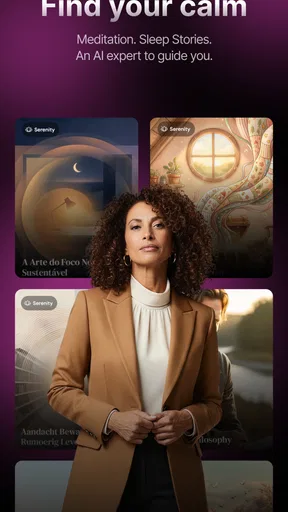
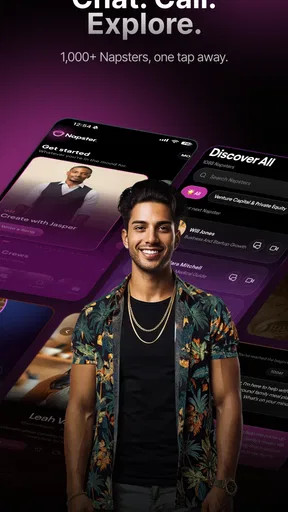
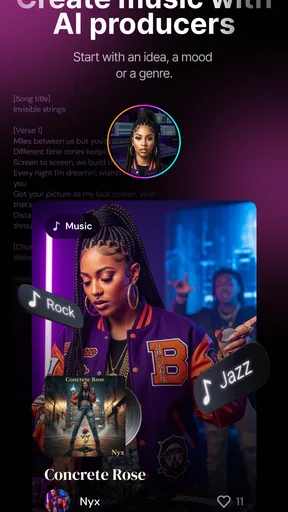
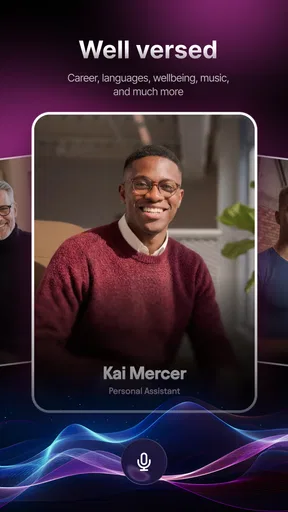
 Analysis by AppCompare
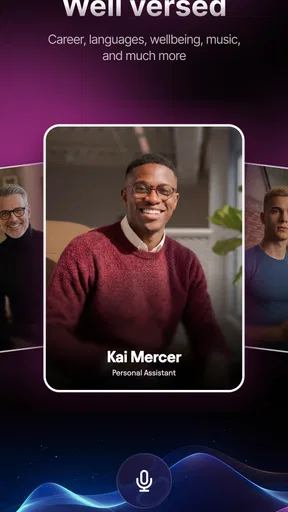
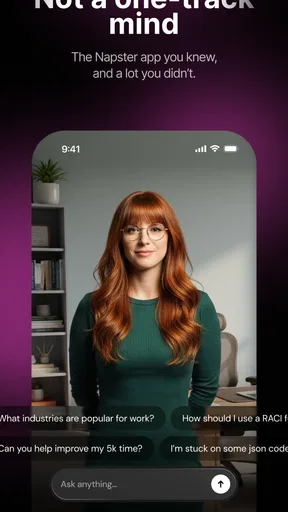
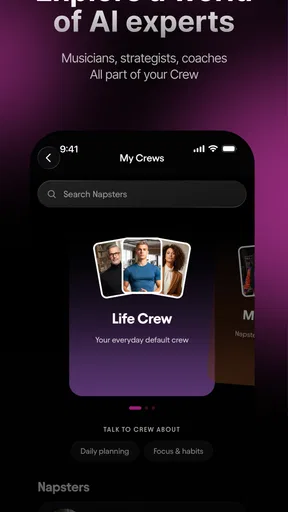
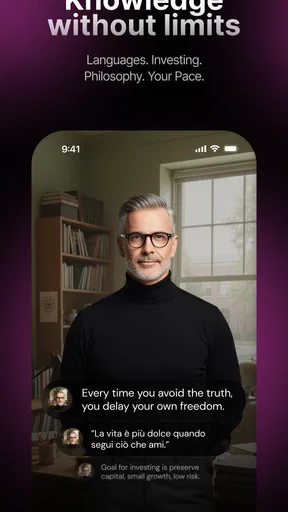
I’d approach Napster with a slightly different expectation from a conventional streaming app: its current identity centers on AI musicians and live video collaboration, rather than simply being a familiar catalogue with a new recommendation layer. That shift matters when deciding whether it fits your day. If you want music playing in the background with as little interaction as possible, a standard streaming service may feel more direct. If you’re curious about making music alongside an AI performer, the idea is more distinctive—and worth exploring with an open mind.
Start with the kind of listening you want
Before opening the app, it helps to ask yourself what you want from a music session. Are you trying to find something to listen to, or do you want to participate in a creative exchange? Those are different needs. Napster is listed in the Music & Audio category, but its emphasis on AI musicians and live video makes the second question especially relevant. I wouldn’t choose it solely because I need a predictable playlist for a long stretch of work; I’d try it when I have a little time to explore and respond.
A practical first session could be a quiet moment at home when you can pay attention to what the app is asking you to do and what you get back. That gives you room to judge whether the interaction feels enjoyable, rather than trying to learn a new creative flow while rushing for a bus. If you mainly want a quick search-and-play routine, the familiar approach of a conventional music service is likely the easier fit.
Make the first session an experiment
I’d treat the opening session as a small experiment, not a test of musical talent. Start with a simple intention: explore an AI musician, see how a live video interaction feels, and decide whether the exchange gives you a reason to continue. You don’t need to arrive with a polished song idea to find out whether the concept appeals to you. The useful question is whether interacting with an AI performer makes music feel more engaging for you than listening alone.
That distinction also helps set expectations. A live, collaborative format asks for attention in a way that passive playback does not. It may suit a short creative break, a playful attempt to explore a musical direction, or a conversation starter with a friend. It is less naturally suited to a situation where you need uninterrupted audio and don’t want to look at your phone. Thinking about the session’s purpose first can save you from judging the app by the wrong standard.
Where Napster fits among music apps
Napster Music, Inc develops the app, which is free to download, while in-app purchases range from $1.99 to $489.00 per item. I’d check the purchase details carefully before spending: that broad range makes it sensible to understand what an item offers and whether it matches how often you expect to use the experience. A free starting point is useful, but it doesn’t mean every part of the app or every creative option will be free.
For comparison, many music apps are built around searching a catalogue, saving favorites, and letting recommendation systems fill the gaps. That model is convenient when your main goal is reliable background listening. Napster’s AI-musician concept is a more participatory proposition: it asks whether a synthetic performer can make creating or exploring music feel personal. I see that as a different use, not an automatic replacement for an everyday streaming library. If you already have a service that handles your playlists and listening habits well, the strongest reason to add Napster would be curiosity about its interactive angle.
Worth Reading Before You Choose

EA SPORTS FC Mobile 26 Is a Bigger Football Game, but It Takes Time

Flipboard Shows What News Apps Must Do Beyond the Feed

Switching to Android Auto Means Rethinking Your Driving Routine

Google Calendar Makes a Crowded Week Easier to Manage

Ludo King Makes the Most of the Minutes Between Plans

Baby Panda World Brings Quick Play to Modern Phones, but Its Game Library Feels Busy
Decide what to share and when
Live video changes the feel of a music app because it is more involving than pressing play. I’d choose a comfortable setting for that kind of session and be deliberate about whether I want to participate at that moment. For example, a short creative break at home is a better trial than opening a video-led experience while surrounded by distractions. If you’re considering using it with someone else, agree on what you want to try first; a simple shared prompt or musical direction can make the session feel less like aimless browsing.
There’s also a useful handoff between experimentation and ordinary listening. You might use the app when you want to engage with an AI musician, then switch to a more conventional service when you want familiar songs or uninterrupted playback. Treating those as separate jobs is more realistic than expecting one app to be the best tool for every musical mood. The advantage is clarity: you can judge Napster on the interaction it is designed to foreground, rather than on whether it duplicates every habit you already have elsewhere.
Who is likely to enjoy the trade-off?
I’d recommend giving it a look if you’re interested in AI as a creative partner, enjoy trying unfamiliar music experiences, or want a more interactive alternative to listening on autopilot. It may also appeal to someone who likes experimenting in short sessions and is comfortable learning by trying things rather than following a familiar play-and-save routine. The key benefit is the possibility of feeling involved in a musical exchange, not simply receiving another automatically assembled queue.
I’d be more cautious if your priority is a straightforward library, familiar artist discovery, or an app you can set running and ignore. The live-video framing may feel like extra effort when you only want background sound, and the possibility of in-app spending makes it worth checking the cost of any option before committing. The app is rated for Teen audiences, so it is not positioned only for adults, but I’d still make ordinary, sensible choices about using a live video experience and spending within an app.
Its audience numbers suggest that this is an established app rather than an obscure experiment: it has more than 10 million installs, an average rating of 3.3 from around 166,000 ratings, and roughly 60,000 written reviews. I take that rating as a reason to go in with measured expectations, not as a verdict that tells every prospective user what they will think. The rating can’t tell you whether its specific AI collaboration idea suits you; a short, focused trial is a better way to answer that for yourself.
If I were trying it on an ordinary weekday, I’d set aside a few minutes after work, open it with one simple musical idea in mind, and see whether the live interaction gives me something I want to pursue. If it does, I’d continue exploring at my own pace and pause before making any purchase. If I wanted familiar songs for cooking or a commute, I’d switch to the service I already use for that job. That split keeps the app’s more unusual premise from becoming a frustrating substitute for routine listening.
Napster has been available since November 10, 2010, and its current pitch gives it a notably different creative direction from the standard music-player experience many people associate with the name. It is free to install and carries a Teen content rating, but its optional purchases are worth reviewing with care. I’d try it for the chance to interact with AI musicians, not because I expect it to replace every music app on my phone. If that kind of collaboration sounds intriguing, it may be a worthwhile experiment; if all you need is dependable background music, a conventional listening app is probably the more comfortable choice.
If you've been on the hunt for a music app that combines a vast library with a touch of artificial intelligence, let me introduce you to Napster - AI Music & Experts. This app is like having your personal DJ, musicologist, and jukebox all rolled into one. I’ve been diving into its features, and there’s a lot to unpack, so let’s get started!
Discovering Music with AI Magic
The first thing that caught my attention was how Napster - AI Music & Experts uses AI to personalize your listening experience. As soon as I started using it, the app began to learn my music preferences faster than I could say "play my favorite tunes." It’s like it reads your mind, predicting what you want to hear before you even realize it.
One of the coolest features is the AI-generated playlists. These aren’t your run-of-the-mill, generic mixes. Instead, they’re tailored to your unique taste, adapting as you listen more. I found myself discovering new artists and tracks that I wouldn’t have stumbled upon otherwise. It’s like having a music expert in your pocket, always ready to surprise you with something fresh.
Expert Playlists and Curations
Now, let's talk about the human touch. Beyond the AI, Napster offers expertly curated playlists. These are crafted by actual music experts, which adds an authentic, human element to your music discovery. Whether you’re into indie rock, jazz, or classical, there’s something curated just for you.
I was particularly impressed by the depth and variety of these playlists. They offer a journey through genres, eras, and even moods. Want to dive into the golden era of hip-hop or explore the roots of blues? There’s a playlist for that, and it’s crafted with care.
Seamless User Experience
Let’s get into the nitty-gritty of using the app. The interface is sleek and intuitive, making it easy for even the least tech-savvy among us to navigate. Everything feels just a swipe or tap away. The search function is robust, allowing you to find specific songs, albums, or artists in a jiffy.
One feature I found particularly useful is the offline mode. You can download your favorite tracks and playlists to enjoy them without worrying about data usage or connectivity issues. Perfect for those long commutes or flights where Wi-Fi is a distant dream.
Audio Quality and Streaming
For the audiophiles out there, audio quality is paramount. Napster doesn’t disappoint in this department. The streaming quality is top-notch, and if you opt for the premium version, you get access to high-definition audio. I could really hear the difference, especially with the more intricate, layered tracks.
The app also offers seamless integration with various devices, so whether you’re listening through your phone, tablet, or smart speaker, the transition is smooth and hassle-free.
Social Features and Community
Music is often a shared experience, and Napster embraces this with its social features. You can connect with friends, share what you’re listening to, and even collaborate on playlists. It’s a great way to discover new music through your circle and engage with a community of music lovers.
The community aspect adds an interactive layer to the app, making it more than just a music player. It’s a platform for sharing and discovering music together.
In conclusion, Napster - AI Music & Experts offers a unique blend of AI-driven personalization and expert curation. It’s perfect for anyone looking to expand their musical horizons while enjoying a user-friendly experience. Whether you’re a casual listener or a passionate music enthusiast, this app has something to offer. So, why not give it a spin and see where the music takes you?
Pros
- Vast music library with diverse genres.
- AI-curated playlists personalize experience.
- Offline listening saves data.
- Connects with social media for sharing.
- High-quality audio streaming.
Cons
- Subscription required for full access.
- Occasional app crashes reported.
- Limited free trial duration.
- Interface can be overwhelming for new users.
- Ads present in the free version.
FAQs for Napster - AI Music & Experts
What is Napster - AI Music & Experts, and how does it work?
Napster - AI Music & Experts is a music streaming app that combines cutting-edge AI technology with expert-curated playlists to provide a personalized listening experience. The app analyzes your music preferences and habits to recommend songs and playlists tailored to your taste, ensuring you always have access to music you love.
Is Napster - AI Music & Experts available on both Android and iOS?
Yes, Napster - AI Music & Experts is available for download on both Android and iOS devices. You can find the app in the Google Play Store and the Apple App Store. Ensure your device meets the minimum system requirements for optimal performance and access to all the app's features.
Does Napster - AI Music & Experts require a subscription, and what are the benefits?
Napster - AI Music & Experts offers both free and premium subscription options. While the free version provides limited access with ads, the premium subscription unlocks ad-free listening, offline downloads, and enhanced audio quality. Subscribers also enjoy exclusive playlists and early access to new music releases.
How does the AI in Napster - AI Music & Experts enhance my listening experience?
The AI in Napster - AI Music & Experts analyzes your listening history, preferences, and activity to create personalized recommendations. It adapts over time, learning from your interactions to provide increasingly accurate suggestions. This means you'll discover new music and artists that align perfectly with your taste.
Can I create and share playlists with Napster - AI Music & Experts?
Absolutely! Napster - AI Music & Experts allows users to create custom playlists and share them with friends. You can also explore playlists curated by experts and other users, making it easy to discover new music together. The app's social features enhance your music experience by connecting with fellow music lovers.


